Watch dormant revenue come back to life
How the AI Revenue Agent finds the patients your front desk never has time to chase — and books them back into your chairs.
The film is being finished
While we polish the final cut, start where every clinic starts: get your Practice Health Score and see your own dormant revenue first.
Where the three revenue leaks hide in every clinic
A real recovery conversation, message by message
What the dashboard shows the owner while it happens
How the recovery works
From your patient list to a booked appointment — four steps
Not a theory and not a promise. These four screens are the platform itself, running, in the order your clinic will move through in the first two weeks.
- 01
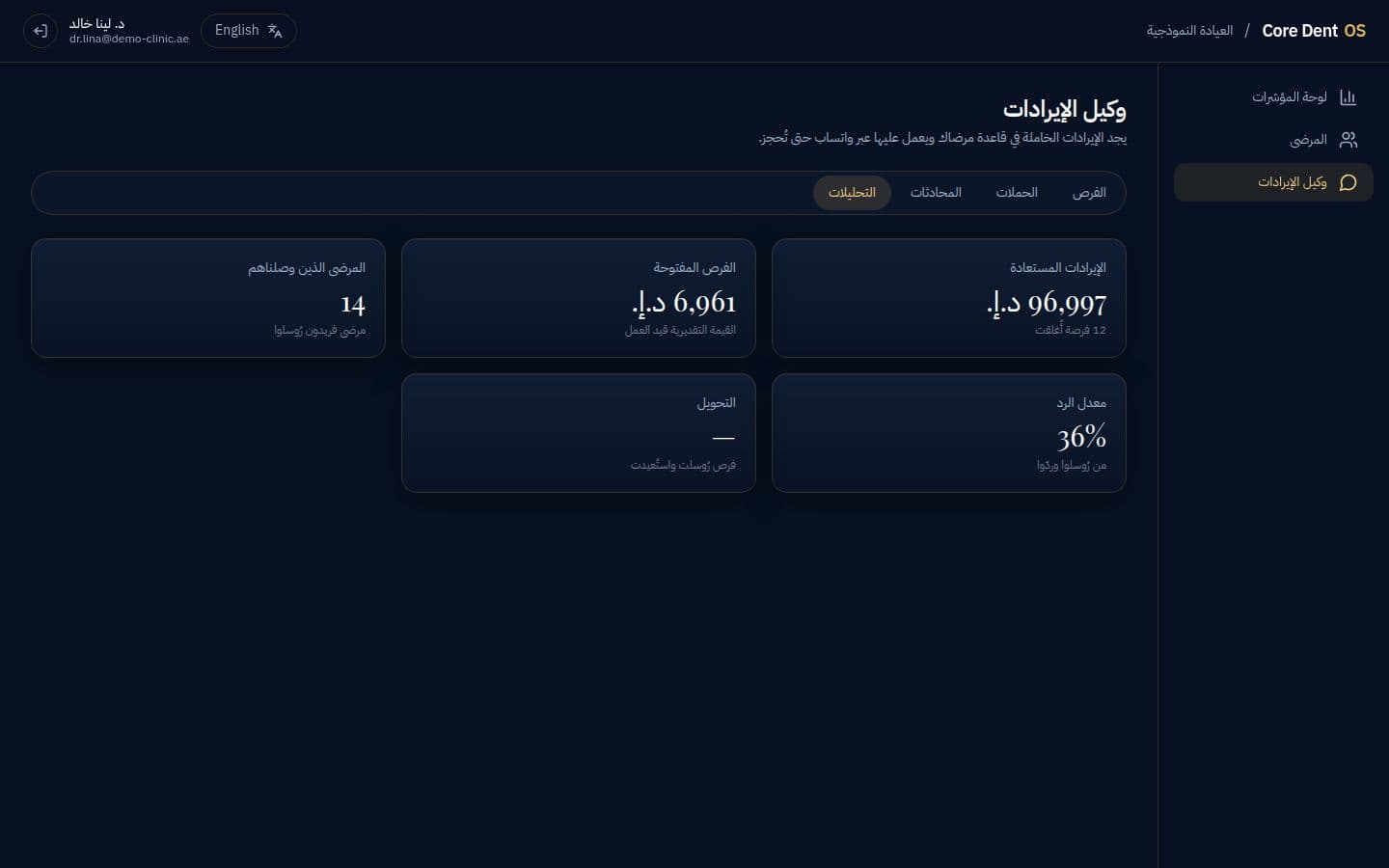
Import your patient list
One file from the system you already use. Within minutes a dashboard shows what no report has shown you: the revenue that happened, and the revenue that should have.
- 02
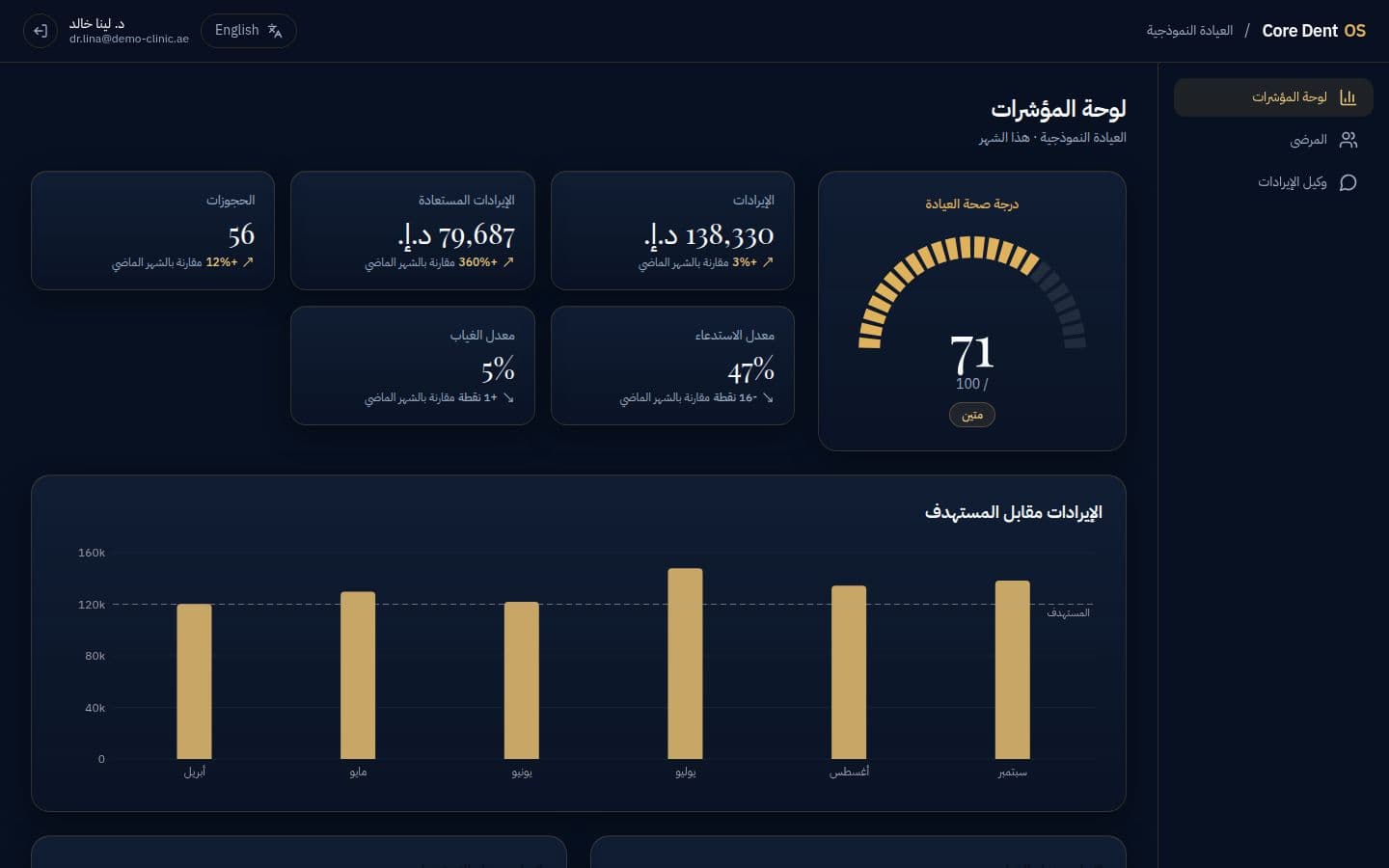
Run detection
One button. The system sweeps the list and returns names: a treatment plan accepted and never booked, a recall patient gone quiet, a missed appointment never rescheduled — each row with its value in AED.
- 03
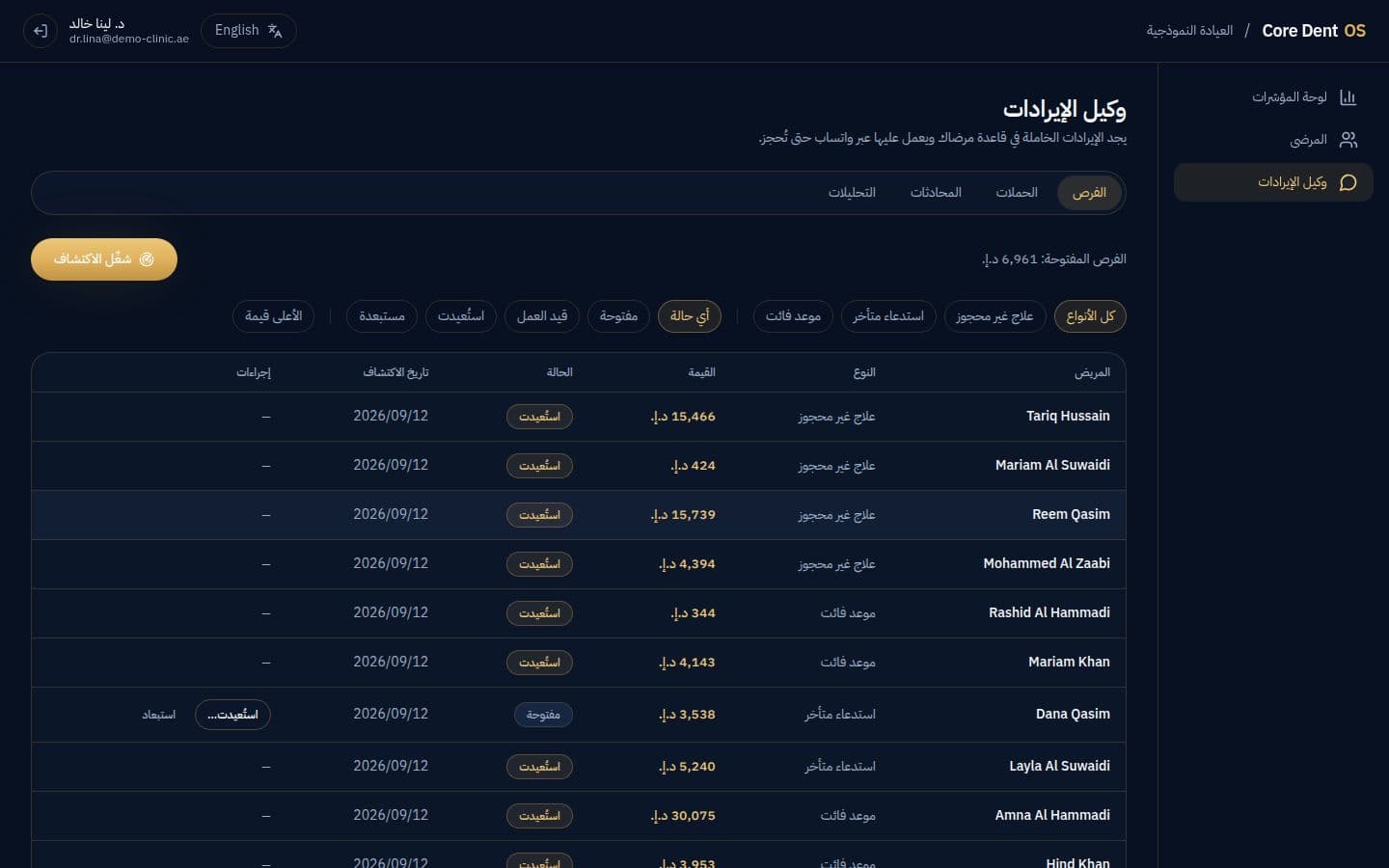
Launch the campaign
WhatsApp messages written in advance for each opportunity type, sent at the hour patients actually reply. Your team writes nothing and remembers nobody by hand.
- 04
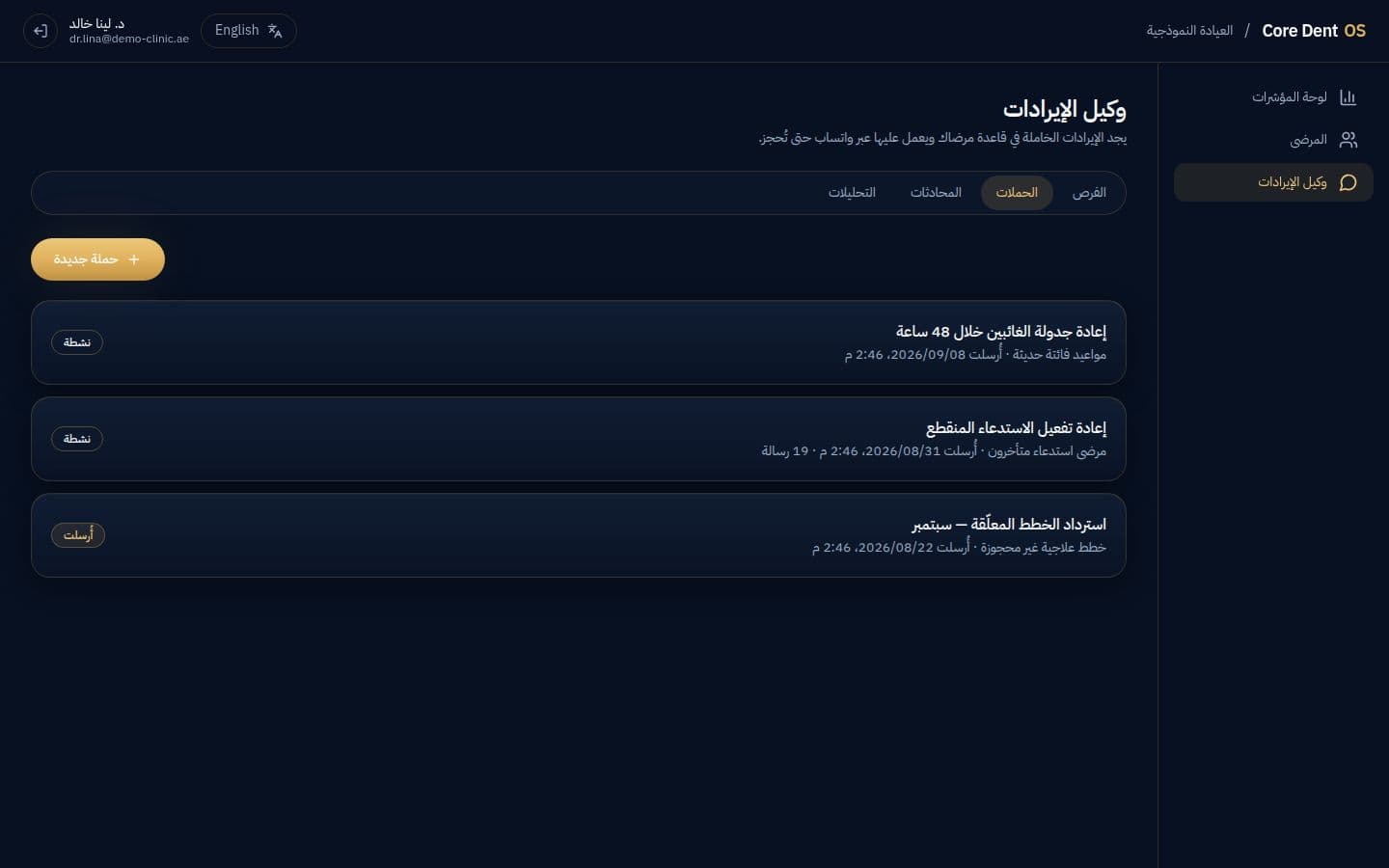
Read what came back
Every opportunity closes with an outcome and the total shows in AED. That same number governs the recovery guarantee — no estimate, no opinion.